See your next haircut on your own face before you commit to it.
AI reads your face. Renders any cut on you. Photoreal. On your iPhone.
Pick a cut from the catalog. Type what you have in mind. Or upload a reference. Barbr puts it on your actual face — your jawline, your skin, your hair — so you can screenshot the one you want and walk into the barber knowing exactly what to ask for.
iPhone · No subscription · Pay only for the previews you use
Launching soon
Barbr is days away.
Drop your email. We'll ping you once, on launch day, with the App Store link. No newsletter. No drip. After that, we're out of your inbox.
One email. On launch day. Then we leave you alone.
What men actually think
These are the things men actually say about their hair.
Lines men don’t say out loud. They type them into a Reddit thread at 1 a.m., or mutter them in a mirror. If any of these sound familiar, Barbr is built for you.
I just want to not hate my hair for once.
I never know how to describe what I want.
My barber is great. I think I'm the problem.
I've had the same cut for five years because I'm scared to change it.
I don't want a weird haircut. I just want a good one.
Why doesn't this exist already?
The barber-chair guessing game
Every man knows the pre-barber stare in the mirror.
A bad cut lasts six weeks.
A bad haircut doesn’t heal. You’re stuck with it for a month and a half, and nothing you do makes it grow out faster.
Words aren’t a reference.
"Short on the sides but not too short" gets a different haircut from every barber in the shop. Describing the cut is not the same as showing the cut.
The guy in the photo isn’t you.
Instagram and Pinterest show you strangers — different jawlines, different hair, different heads. His cut is going to sit on him. It won’t sit on you the same way.
New barber, coin flip.
They don’t know your history. You don’t know their vocabulary. The first visit is part haircut, part guessing game — and you’re the one wearing the result.
Grown out, no plan.
You’re between cuts trying to decide what’s next. Every week without a plan is another week of looking like nothing in particular.
Thinking bigger, won’t commit blind.
You’ve thought about a buzz. A real fade. A shaved head. A restored hairline. You’re not going to commit blind — and you shouldn’t have to. You want to see it on your face first.
Take one selfie.
Front-facing, neutral expression, decent light. Barbr reads your face shape and proportions in a couple of seconds. No angle tricks. No studio lighting. Your bathroom mirror is fine.
Pick it, describe it, or upload a reference.
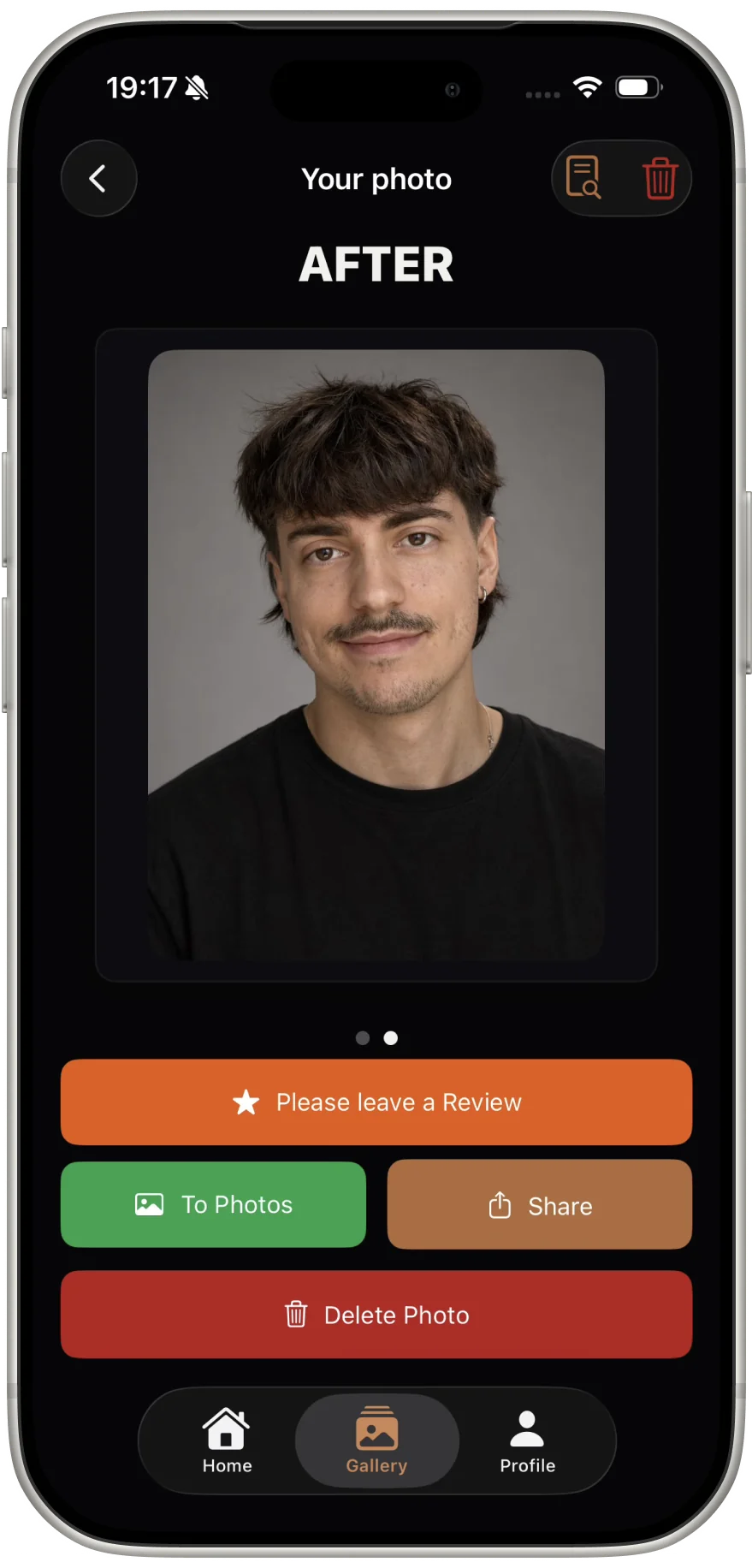
Choose a cut from the catalog, type what you have in mind in plain English, or drop in a reference photo from Instagram or Pinterest. Barbr renders each one photoreal on your own face — your jawline, your skin, your hair, with the new cut on. Not a template. Not a filter. The actual you, with the hair.
Show your barber.
Screenshot the one you want. AirDrop it, text it, or open it at the chair. Sit down knowing exactly what you are asking for. No more "something like this guy’s, but on me, I guess?"
What Barbr does
Everything a haircut decision needs. Nothing it doesn't.
No social feed. No gamification. No styling blog. Just the tools you need to walk into the chair knowing exactly what you want.
Three ways to try any cut
You are not stuck with a preset menu. Pick from the built-in catalog, type what you have in mind, or upload a reference photo from Instagram or Pinterest. Barbr renders the result photoreal on your own face — not on a template model with a different jawline.
Face-shape analysis
Barbr reads your face — oval, round, square, oblong, heart — the way a good barber would, from one selfie. Use the read to filter the catalog to cuts that work with your proportions. Or ignore it and try whatever you want. It is your face.
Barber-ready share
Screenshot your pick, AirDrop it, or share straight to Messages. Any barber in the world can read a photo. That is the whole point.
Curated men’s style catalog
Every serious men’s cut is in the catalog: skin fades, mid fades, low fades, tapers, buzz, crew, undercut, textured crop, pompadour, quiff, mullet, curtains, plus beard and facial-hair pairings. No novelty filters, no costume hair.
Token wallet
No subscription. No auto-renew. No "you forgot to cancel" charge showing up three months from now. Buy a pack of tokens once through the App Store. Spend one whenever you want a preview. When the pack is empty, buy another — or don’t.
Preview history
Every preview you generate stays in your gallery, on your iPhone. Favorite the ones you like. Revisit a cut months later when you are finally ready to commit.
Honest answers, up front
Three things men ask before they tap download.
Straight answers. No hype. If these don’t land, the full FAQ below goes deeper.
Isn’t this just a filter?
Your face, not a filter. Barbr renders a photoreal image of your own hair, jawline, and skin in the new cut — not a sticker stuck on top of a photo. A barber can use it as an actual reference at the chair.
Am I stuck with a preset menu?
No. Pick from the catalog, describe the cut in plain English, or upload a reference photo. If you can name it, describe it, or point to it, Barbr can render it on your face.
Why pay when I can Google it?
Google shows you strangers. Barbr shows you. A guy on Pinterest with your hoped-for cut has a different jawline, different hair, and a different head. Barbr lets you see the cut on your actual face, so the photo you hand your barber is actually useful.
When men use Barbr
The right cut for the moment you're in.
First date Friday. Interview Monday. Hairline creeping back. Thinking about going shorter but not sure. Four moments, same question: what actually works on my face?
Dating
The cut that gets the second look.
Try it on your face before the next first date. Stop letting a coin-flip haircut decide how you show up.
Interview
Show up looking hired.
Preview the interview cut before Monday morning. Walk in with one less thing on your mind.
Hairline curious
See what you’re thinking about — privately, on your face.
Thinning. Receding. A full restoration. A shaved head. See it on your own face before you do a single thing about it in real life. Nobody else has to know you looked.
Going shorter
Thinking about going shorter?
See a buzz, a high fade, or a full crop on your face before you commit. You don’t have to find out in the mirror after the fact.
Pricing
No subscription. No plan. Nothing to cancel three months from now.
Every other haircut-preview app on the store charges you $4.99–$9.99 every week, forever. Barbr doesn't. Buy a pack of tokens once, through the App Store. Use them when you actually want a preview. When the pack's empty, buy another — or don't. That's the whole deal.
- ✓One-time token packs. Never a subscription.
- ✓You pay for previews you actually use, not for access you don't.
- ✓Tokens restore across your Apple ID, on every device you own.
- ✓No account. No credit card on our side. Apple handles the money.
Token packs
Pay once. Use when you need it.
One-time purchase. No renewal. No auto-charge.
Pack sizes and exact prices are shown in the App Store at checkout.
Tokens are tied to your Apple ID and restore on every device you sign into.
Payment is handled entirely by Apple via the App Store. We never see your card.
Why Barbr is safe to open
Your selfie is used once. Never sold. Never shared. Never trained on.
Your selfie, used once.
Barbr processes your photo to render your previews, then drops the original. Nothing about it is kept for training, for resale, or for anything else.
No account, no email.
No sign-up. No password. Open the app, take a selfie, see your cuts. There is nothing about you on file to leak.
On-device by default.
Your preview history lives on your iPhone. You decide what gets kept and what gets deleted.
Zero third-party tracking.
No advertising SDKs. No analytics fingerprinting. No cross-app identifiers. What happens in Barbr stays in Barbr.
Payments stay with Apple.
Token packs are a standard App Store purchase. We never see your card. Apple handles the money.
Privacy manifest published.
Every required-reasons API we use is declared in our open privacy manifest, shipped with every build.
FAQ
Questions men actually ask before they tap download.
Isn’t this just a filter?
What if the cut looks bad on me?
How many cuts can I try?
Why pay when I can Google haircuts for free?
What happens to my selfie?
Do I pay once, or is this a subscription?
Which hairstyles can I try?
Can I use a reference photo from Instagram or Pinterest?
Can I send the preview to my barber?
Does it work if I’m bald or have a receding hairline?
Is this hard to use?
iPhone only?
Walk in knowing.
Walk out fresh.
One selfie. Any cut, photoreal, on your face. Screenshot the one you want. Show your barber. Sit down knowing. That's the whole app.