How to Try Haircuts on Your Own Photo (Men, 2026)
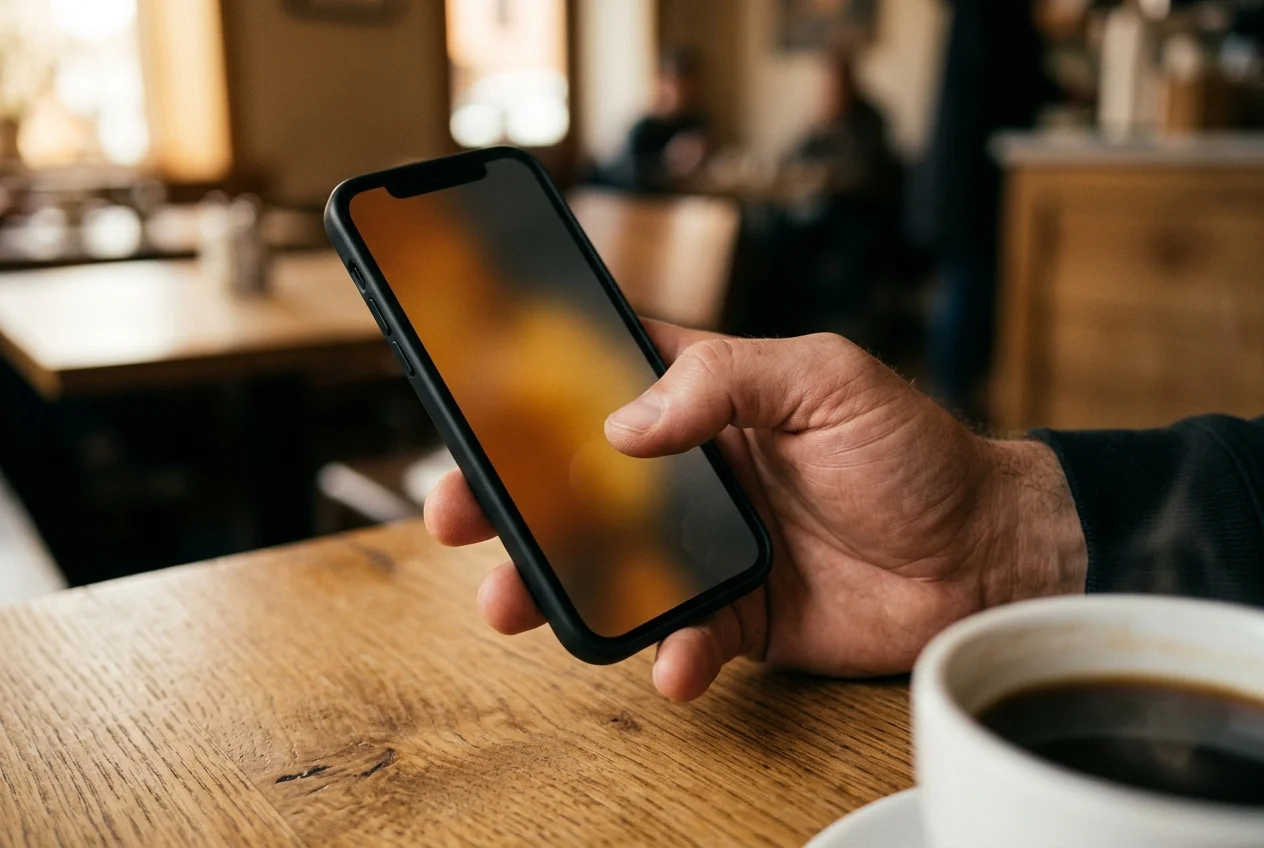
Words don't cut a haircut, pictures do. Three workflows let you try a cut on your photo before the chair. An AI preview app renders the cut on your face in under a minute. Photoshop gives you a composite if you own it. Google gives you a stranger. All three end with you holding a reference image.
"Short and long are all relative from barber to barber." That's Steve Hankins, a registered master barber at Red's Classic Barbershop in Indianapolis, quoted in Art of Manliness. Two men can ask for the same cut using the same words and walk out with two different haircuts, because "short" is a different guard number in each barber's head. Every reference-photo workflow exists to close that vocabulary gap. The question is how much of it you close, and with what in the picture.
The shop already expects a picture
Joth Davies founded Savills Barbers in Sheffield in 2006 and the Savills Academy a few years later (thirty-two years behind the chair). He told Salons Direct in 2018 that his shop "started using Instagram as a look-book for our clients as there were no barber magazines or decent men's hairstyle books around." The follow-him-on-his-phone workflow isn't novel. It's the default now, in the shops that know what they're doing. If yours doesn't pull up a reference on their own phone to confirm what you mean, find a better shop.
The interesting question isn't whether to bring a picture. It's whose face is in it, and how close the picture is to a believable preview of the haircut you actually want.
The three workflows at a glance
| Workflow | Steps | Time | Realism ceiling | Privacy | Cost |
|---|---|---|---|---|---|
| 1. AI preview app on your own face | 3: selfie, input, generate | Under 60 seconds per preview | Photoreal image of you wearing the cut | Selfie uploaded once, retention varies by app | Token pack one-time (Barbr), $9 one-time (HairstyleAI), freemium (BarberGPT), subscription (Fotor, YouCam) |
| 2. Photoshop or a layered image editor | Six or more: isolate, mask, match lighting, paste, blend, export | 20 to 60 minutes if you already know Photoshop | Credible composite of you, ceiling set by your Refine Edge work | Fully local on your machine | $22.99/month (Photoshop), $69.99 one-time (Affinity Photo 2), $12.99 one-time (Procreate) |
| 3. Google, Pinterest, Instagram save | Search a term, save an image, screenshot | Seconds | Zero. The photo is always someone else. | Your search and save history is logged | Free |
Workflow 1: an AI preview app on your own face
Three steps. Take a front-facing selfie in decent light. Tell the app what cut you want, either by picking from its catalog or uploading a reference photo. (Some apps also accept a plain-language description.) Hit generate. Under a minute per preview for the faster apps in the category, per Smartpostly's January 2026 BarberGPT review, which tested "under a minute in most cases." You end up with a photoreal image of yourself wearing the cut.
Barbr is the iPhone version of this workflow. Three input modes in one app: pick from the built-in men's-cut catalog, describe the cut in plain language, or upload a reference photo and have the cut render on your face instead of on a stranger's. That's the whole thesis. You're generating a reference image of the person sitting in the chair. (The stranger on Instagram has a different jaw and a different growth pattern. His cut won't sit the same way on you.)
Smartpostly's review of BarberGPT put the honest framing on the whole category: "A communication tool, not a prediction engine." The preview doesn't predict what your actual haircut will be at the end of the chair time. It tells your barber what you're asking for, with the ambiguity of words replaced by an image of your face. That's the job. Anyone who promises the AI image is the haircut is overselling.
Where this workflow is weakest: privacy posture. Every app in the category uploads your selfie to a service to generate the preview, even apps that use it once and drop it. Local editing has a stronger posture because nothing leaves the device. And platform coverage matters too: most iPhone-native options in this category are iOS only, so Android users either go web (HairstyleAI and BarberGPT lead the category) or go beauty-app (YouCam). Name the trade-off honestly before you pick.
Workflow 2: Photoshop or a layered image editor
If you already own Photoshop and already know how to cut hair out of an image, skip ahead. If you don't, the budget is steeper than people expect. Adobe Photoshop is $22.99 a month as of April 2026 (bundled at $59.99 a month in Creative Cloud). Affinity Photo 2 is $69.99 one-time. Procreate on iPad is $12.99 one-time. GIMP and Photopea are free.
The steps aren't three. They're six, minimum. Open a front-facing selfie. Open a reference photo of the cut. Select the hair on the reference (Select Subject plus the Refine Edge brush is the 2026 default; any Envato Tuts+ or PHLEARN tutorial covers the sequence). Mask out the rest. Match color temperature and lighting direction to the selfie. Paste the hair onto your head and clone out the stray edges around the mask. Flatten and export. Twenty to sixty minutes per cut if you already know the moves. Several hours if you're learning from a YouTube tutorial in parallel.
What you get at the end can be good. Really good. But the realism ceiling isn't the tool, it's you. Hair masks halo if you rush the Refine Edge. Lighting mismatches read as a sticker pasted on. A bad composite looks obvious to a barber in the time it takes to hand over the phone.
Where the workflow wins: privacy. Nothing leaves your machine, no account or cloud upload. If that's the dimension you rank hardest on, workflow 2 is the strongest answer on the list, and no AI app on the market currently beats it.
Workflow 3: Google, Pinterest, Instagram save
Free and already installed on every phone. Search "low fade with length on top men." Save the best image to your camera roll. Walk in, hand over the phone. Most barbers will work with it. Some shops (Savills among them) treat it as the default.
The limit is the one MyNewHaircuts.com spelled out in their March 2026 guide: "reference photos work best when the person in the photo looks like you." They go further: "The ideal reference is a photo of you with the haircut you want." They list "using heavily filtered Instagram photos" as a mistake to avoid (for what it's worth, the site embeds its own AI reference-photo tool mid-guide).
BarberEVO Magazine, reading the same problem from the chair side, was blunter in April 2025. Stephanie Jaynes: "Filters and editing tools blur reality." "The photo doesn't tell you how the hair got there." A Pinterest save hides the days between cuts and the product used. It hides the blowout too. A barber reads that from hands-on experience. The client usually can't.
And the search history is logged. Not a crisis, but name it: Google logs the search, Meta logs the Instagram save, and the image in your camera roll is linked to your Apple account by default. The Google approach costs nothing in money and a little in data posture.
Why a preview on your own face matters
Three reasons, in the order a barber cares about them.
The first is head shape. A low fade on a long narrow head reads different than the same low fade on a round head. A preview on your head shows you what the cut does to your proportions. A stranger's photo doesn't.
The second is hair type and density. The model in the Instagram save probably has type-2 waves and enough density to hold volume on top. If yours is type-1 straight and fine, the cut won't hold that volume, no matter what your barber does with product. A preview on your face hints at the behavior. A stranger's image tells you nothing.
The third is vocabulary. Hankins again: "short" and "long" are relative. The moment the picture is you, the words don't matter as much. The barber looks from the reference to you. The image answers most of the open questions, because the face in the image is yours. (How to show your barber a reference covers the handoff itself.)
Who each workflow suits
If you want a shareable image of yourself in the cut before you book, and you're on iPhone, workflow 1 is the clear answer. Barbr is the iOS answer. Token packs through the App Store, no subscription. iOS 17 or later. The full three-input-mode walkthrough is on the product page. HairstyleAI's $9 one-time photoshoot is the web-accessible equivalent if you're on Android, Windows, or just don't want another iPhone app.
Workflow 2 is for men who already own Photoshop and know Refine Edge. The privacy posture is why you pick it over workflow 1: nothing uploads. The cost is hours, not dollars, once you own the tool.
If you're in a hurry, your budget is zero, and you're willing to accept that the picture you bring is a stranger's, workflow 3 is fine. It's what most men currently do, and most barbers can translate from it. Pick an image of someone with a face shape similar to yours, taken in good light. One person in the frame, not a group photo. The Men's Hair Forum has a years-old thread titled "Is it ok to show your barber a reference picture?" that exists because men keep asking. Yes, it's fine. Just know what you're giving up.
What none of these workflows do
Three honest limits, worth naming once.
No preview handles your growth pattern. Crown direction and cowlicks don't read from a single front-facing selfie. The way your hairline retreats when you push the hair back doesn't read either. Your barber reads all of that from hands in your hair, not from the screen.
No preview commits you to the cut. The reference image is an input to the conversation at the chair, not a contract. A good barber will tell you if the reference is fighting your hair and offer a nearby cut that will actually hold.
No preview is a guarantee. Every preview looks great on the screen. That's the job of the preview. The real haircut depends on your hair and the barber's hands on the day. The preview buys you a few minutes of decent information before the decision, and that's already worth the time.
Methodology
Workflow timings sourced from Smartpostly's BarberGPT review (updated 2026-01-08) for AI preview speed and from Envato Tuts+ and PHLEARN hair-masking tutorials for Photoshop steps and time cost. Software pricing verified on adobe.com, affinity.serif.com, and procreate.com on 2026-04-24. The umbrella guide to the three input modes covers the per-mode details.
Barber perspective from Steve Hankins (registered master barber, Red's Classic Barbershop, Indianapolis, quoted in Art of Manliness) and Joth Davies (founder, Savills Barbers and Savills Academy, Sheffield, interviewed by Salons Direct in 2018). Reference-photo framing from Stephanie Jaynes at BarberEVO Magazine (April 2025) and MyNewHaircuts.com (updated March 2026).
Where this leaves you
Three workflows. Same destination: a reference image in your hand on the way to the chair. What's in the image decides how much of the vocabulary gap closes before you sit down. Pick the workflow that matches what you can spend. Then walk in.
The picture does the talking. The barber does the cutting. That's the trade.
Try Barbr
Learn what Barbr does, browse features, and get support resources.
Frequently Asked Questions
- How can I see a haircut on my own photo before the barber chair?
- Three workflows work in 2026. An AI preview app (Barbr on iPhone, HairstyleAI on the web, BarberGPT, YouCam) takes a selfie and renders the cut on your own face in under a minute. A layered image editor like Photoshop ($22.99/month), Affinity Photo 2 ($69.99 one-time), or Procreate ($12.99 one-time) lets you mask and paste the hair manually in 20 to 60 minutes. Google Image search or an Instagram save is free and fast, but the image is always of a stranger.
- Which is the most realistic way to try a haircut on my photo?
- An AI preview app on your own face, by a margin. It is the only workflow that produces a photoreal image of you wearing the cut in a single step. A Photoshop composite can approach that realism if you already know the Refine Edge brush, but the ceiling is your skill, and halo artifacts or lighting mismatches give bad composites away instantly. A Google or Instagram reference has zero realism as a preview because the person in it is never you.
- How long does an AI haircut preview take to generate?
- Under a minute for the faster apps. Smartpostly tested BarberGPT in January 2026 and saw results back in under a minute in most cases. Barbr and HairstyleAI are in the same range. The bottleneck is the selfie you upload, not the model. A front-facing shot in decent light generates faster and looks better than a side angle in bad lighting.
- Do barbers actually want me to bring a reference photo?
- Yes, in most good shops. Joth Davies at Savills Barbers in Sheffield told Salons Direct his shop started using Instagram as a look-book because there were no good men's hairstyle books around. The follow-him-on-his-phone workflow is now the default in shops that know what they are doing. The caveat is the one MyNewHaircuts.com flagged in March 2026: a reference works best when the person in the photo looks like you. A preview of your own face is the strongest possible version of the reference.
- Can I use Photoshop to try a haircut on my face?
- Yes, but it is the slowest of the three workflows. Open a selfie and a reference photo, select the hair on the reference with Select Subject and the Refine Edge brush, mask out everything else, match color and lighting to the selfie, paste the hair onto your head, clone out the edges, flatten, and export. Budget 20 to 60 minutes per cut if you already know Photoshop, or several hours if you are learning. The advantage is privacy: nothing uploads, nothing leaves your machine.
- Is my selfie safe with an AI haircut app?
- Retention varies. Some iPhone-native apps, including Barbr, use the selfie once to generate previews and then drop it from the service, with no account required. BarberGPT discloses no public galleries and no shared images per Smartpostly's January 2026 review. Other apps in the category keep an account-linked history on their servers. Read each app's privacy policy before uploading, and if the privacy posture matters to you more than speed, workflow 2 (local editing) is the strongest answer on the list.
Written by
Tomás ReyesMaster Barber at Sharps Studio, Brooklyn
Master barber, fifteen years behind the chair. Teaches fade progressions and men's cut structure at industry shows. Editorial voice on cut mechanics — what works, what doesn't, and why.