Upload a Reference Photo and See the Haircut on You (Men)
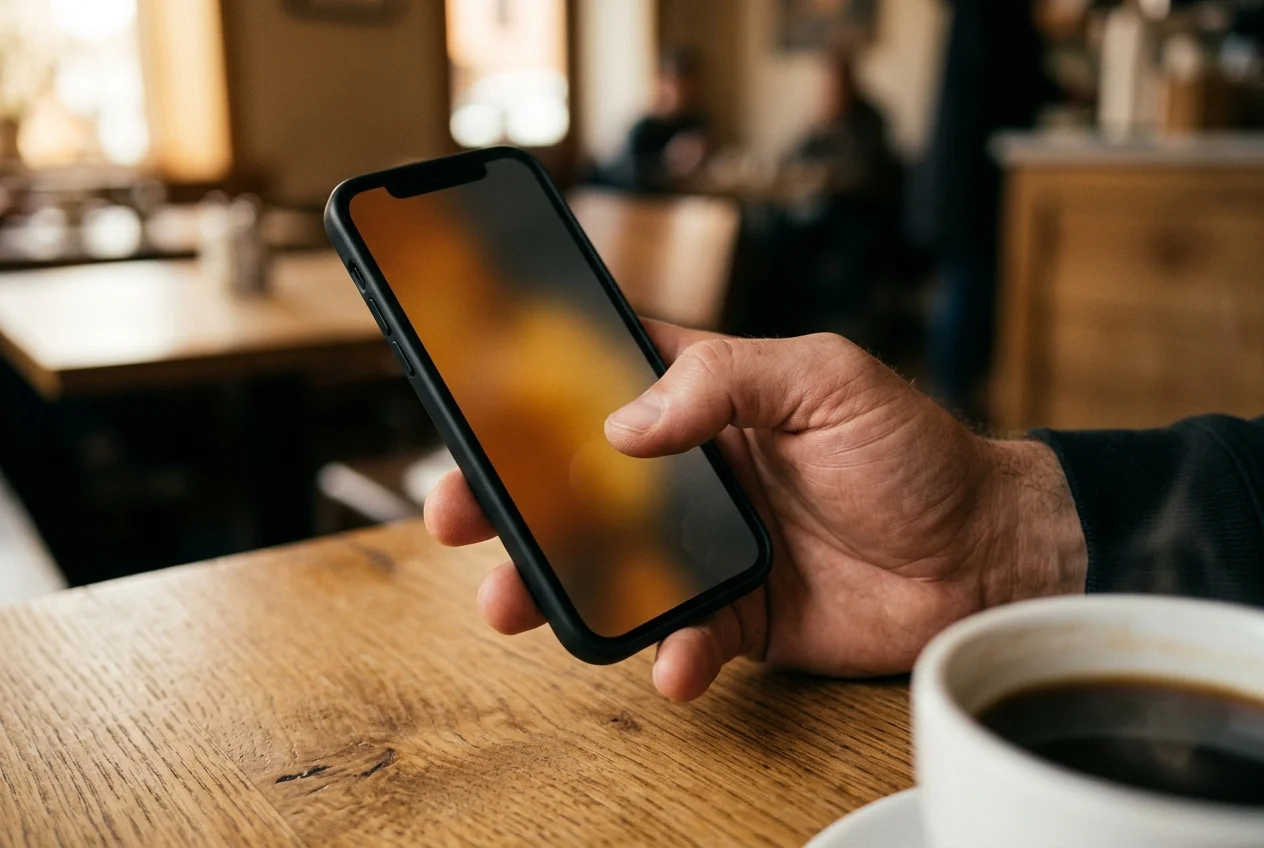
A reference photo is a spec a barber can read. Upload one to a reference-photo AI preview app and it transfers the cut geometry from the reference onto your own face. The face stays yours. The cut comes from the reference. Rules for the reference, and for the selfie, follow below.
What the input mode actually does
Most consumer AI hairstyle apps in 2026 open on a preset carousel. Scroll, tap, try the preset on your face. The upload-a-reference-photo input answers a different question. You already have a picture of the cut you want. The app's job is to pick the cut out of that picture and move it onto your face instead of showing you the same stranger again.
The technical split matters. IQ Newswire's 2026-02-27 roundup on Nerdbot describes the top-rated tool in the category as engineered to understand the complex physics of hair so every strand falls naturally on the render. That's the reference-image half of the pipeline. On the other side, IntelligentHQ's Pallavi Singal in her January 2026 roundup describes the same class of tool as one that "analyses your hairline, forehead width, and jawline to ensure the digital hair flows naturally over your shoulders and frames your face accurately." That's the selfie half. Two inputs, two jobs. One image out.
In Barbr the same split drives the reference-photo input. The app's three input modes are preset catalog, describe in plain language, and upload a reference photo, and the last one renders the result photoreal on your own face rather than on a template model. The selfie carries your face into the render. Your skin and the lighting on it follow. The reference sets the cut shape: fade or taper height, length on top, parting, fringe weight, sideburn cut-off, and the beard if one is in the picture.
(A good way to sanity-check the output is to look at the hairline. If the AI kept your own hairline and moved the cut shape onto it, the render is doing the right job. If the hairline in the render looks lifted or shifted off your face, something went wrong on the selfie side.)
What makes a good reference photo
Not every saved picture is workable. A great preview needs the AI to see what the cut actually is. Most pins are half workable and half noise.
Jake Murphy is Internal Educator and Store Manager at Ruffians Covent Garden, the London arm of a chain that has won British Barbershop Of The Year three times. Murphy told Shortlist in July 2025 that "if you're going shorter all over, bring reference photos. Think Cillian Murphy in Peaky Blinders meets modern sharpness." The advice lands for a reason. Going short is the moment where the stranger's hair type and face shape start to show through the cut, which is exactly when the reference needs to carry its weight. And that's also where the checklist below gets strict.
- One person in the frame, one cut. Group shots and red-carpet collages force the AI to guess which head the cut belongs to.
- Front or three-quarter angle. The front angle shows the outline and the fringe; the three-quarter shows the taper line and the sideburn cut-off. A side profile alone doesn't give the front.
- Hair visible from hairline to nape. A collar or hood swallowing the nape hides where the cut ends on the neck. The app reads the bottom line of the cut off that edge.
- Natural daylight, not salon flash. Salon flash hides texture and rewrites edge detail. A plain daylight shot gives the AI something honest.
- No heavy filter. Smoothed skin, lifted edges, added sheen: the model reads all of it as part of the cut. Save the un-retouched version if one exists.
- At least 512 pixels on the shortest edge. Smaller than that and the detail isn't there. A cropped-from-a-screenshot reference is often the bottleneck.
- Match your own texture and length. Marcus Chen-Williams at Cultured Grooming put it straight in February 2026: pick a reference showing similar hair texture and length to your own hair. A fine-hair man pointing at a thick-hair reference is setting himself up for a different-shape result.
The selfie the reference gets rendered onto needs its own checklist, and it's shorter. Nerdbot's 2026 guidance is to "ensure your face is well-lit with natural, even lighting to prevent harsh shadows" and to "pull your current hair back and take a clear, front-facing picture so the AI can map your features perfectly." Singal's four-point list at IntelligentHQ adds neutral expression and high-resolution to the same shortlist. In practice that turns into four things: daylight on your face, hair pulled back off the forehead, neutral expression, full-resolution camera. (Skip the front camera's beauty mode if your phone has one on by default. The model wants the real skin.)
What a bad reference photo looks like
The failure modes are worth naming. If any of these are the only option, the preview will fight them rather than transfer the cut cleanly.
- Side-profile only. The front view is where the outline lives.
- A hat, hood, or hairband covering the hairline. The AI can't transfer what it can't see.
- Heavy Instagram filter. Stephanie Jaynes's framing for BarberEVO in 2025 stays right: filters and editing tools blur reality, and "the photo doesn't tell you how the hair got there." A filtered reference transfers the filter as well as the cut.
- Motion blur or low resolution. A grainy screenshot from a paused video is usually the worst offender. If the reference is grainy the render inherits the grain.
- Red-carpet lifestyle shot where the cut is secondary. Award-show photos style the talent and the suit. The cut sits at the back of the frame. The AI reads what's centered.
- A watermark across the head. Even a semi-transparent watermark tracks into the output.
- Heavy product styling the reader can't recreate. A reference of a man in a barbershop window, with salon product holding the top in place, is a reference to a styled state, not to a cut. The cut underneath is often simpler. Use an "after the client left" shot from the same barber's feed instead of the styled in-chair one if you can find one.
A practical filter before upload: if you wouldn't print the photo on paper and hand it to a stranger across the counter at the barbershop, it's usually not good enough to upload either. (The printed-paper test is older than AI preview apps, but it still sorts references quickly.)
Reference-photo vs preset catalog vs describe mode
The three input modes on Barbr aren't interchangeable. Each answers a different question.
| Input mode | Works best when | What the AI reads |
|---|---|---|
| Preset catalog | You know the cut's name and it's on the shortlist | The preset's stored cut geometry |
| Describe in plain language | You can put the cut in words | Your text, interpreted by the model |
| Upload a reference photo | You can see the cut but can't name it | The cut geometry extracted from the reference |
Preset is the shortest path. A skin fade with a textured crop is a cut the model already has a full spec for. Describe mode is the path for men who picked up barbershop vocabulary somewhere along the way. "Mid fade, scissor work on top, fringe left long" is a full brief for the model to interpret.
Reference-photo is the path for a reader who can recognize a cut in a picture but can't name it in vocabulary. That's most men most of the time. Working barbers see it directly. In GQ Middle East's April 2026 piece "The Fade Haircut Is Dead", Tyler Chin quoted STMNT co-founder Julius Arriola saying that since Skrillex's 2025 cut, Skrillex has quickly become a recurring celebrity photo that clients come in with as haircut inspiration. No one walks into the shop asking for "the Skrillex." They walk in with the photo. The photo is the reference. In the same piece, celebrity stylist Jerrod Roberts at BLVD & CO said, "I'm starting to see most of my clients who have a fade ask me how they can grow out their hair, or what longer styles they could realistically achieve." A grown-out-from-a-fade target isn't a named cut either. It's a stage. The reference photo is how you point at a stage.
One opinion on pairing. If you already know the cut's name, don't upload a reference just because the app has the input. Use the preset. It's faster, it's more deterministic, and the render will be cleaner. Upload a reference when you actually need the geometry-from-a-picture workflow, not as a default.
What the barber does with the output
A render of yourself in the cut is still a reference. It isn't a spec and it isn't a promise. The barber's job at the chair is to translate the target to your growth pattern, hair type, density, cowlicks, and the actual hairline sitting in front of him. A good barber reads the render the same way he reads any reference photo: shape, outline, taper line, length on top, fringe weight, sideburn cut-off. Those are the handles. The rest is his execution.
The professional-barber subreddit r/Barber runs long threads about clients arriving with references that don't match the client's growth or face, and about how to handle the expectation gap at the chair. That conversation predates AI preview apps. Preview output doesn't make the conversation go away. It makes it cleaner. You arrived with an image of yourself in the target cut rather than an image of a stranger in a similar cut, and the barber can now talk about the distance between the render and what's actually possible on your head today. That conversation is short. It wasn't possible before. (For the fair-use and credit framing on saved Instagram and Pinterest references, see the companion piece See a Saved Instagram Haircut on Your Own Face.)
One closing note on the honest limits. Barbr is an iPhone app running on iOS 17 or later, which means no Android build yet and no iPad version either. Each preview uses one token from a token pack bought through the App Store, so the reference-photo workflow isn't free in the way a raw Google Image search is. If your reference photo is a blurry group shot at a wedding, no amount of on-device rendering rescues it. And the preview is a reference for the chair, not a guarantee of what you walk out with. The cut still happens in the barber's hands on the day. For the companion walkthrough on how to feed a preview into a shortlist of three to five references for the shop, see How to Try Haircuts on Your Photo. For the reference-photo input mode itself inside the app, see Three Ways to Try a Cut. For the barber-side handoff once the reference is on your phone, see How to Show Your Barber a Reference.
Point at the picture. Sit down. Let the barber do his job.
Try Barbr
Learn what Barbr does, browse features, and get support resources.
Frequently Asked Questions
- What's the difference between the reference-photo input and the preset catalog?
- The preset catalog stores the cut's geometry already. You tap a name, the app renders it. The reference-photo input is the path for a cut you can see in a picture but can't name in words. The app pulls the cut geometry out of the photo you upload and transfers it onto your own face. Use the preset if the cut has a name you know. Use the reference-photo input when the photo is the only way to describe what you want.
- What should I look for in a reference photo before I upload it?
- One person in the frame with one cut, shot in natural daylight. Front or three-quarter angle, hair visible from hairline to nape, no heavy filter, no hat covering the hairline. At least 512 pixels on the shortest edge. And the closer the man in the reference is to your own hair texture and length, the cleaner the render will come out. Marcus Chen-Williams at Cultured Grooming put the same rule plainly in February 2026: pick a reference showing similar hair texture and length to your own hair.
- Does the AI put my face onto the stranger in the reference photo?
- No, and that's the point of the input mode. The AI reads the cut geometry out of the reference (outline, fade height, length on top, parting, fringe weight, sideburn cut-off) and transfers those onto your own face from your selfie. The face, skin, jawline, and lighting all come from you. The hair shape comes from the reference. The stranger in the reference stays on Instagram. What you walk into the barbershop holding is a render of you in the cut.
- Does the reference photo need to be a man with my hair type?
- Ideally yes. A fine-hair man uploading a thick-hair reference will still get a render, but the cut geometry the AI extracts is tuned to the hair in the photo. A matching texture and length gives the barber a target that's reachable on your actual head. If your hair is curly and the reference is straight, tell the barber before he starts so he can adjust for what the preview is hiding.
- Is it legal to upload a reference photo from Instagram or Pinterest to an AI preview app?
- For private, non-commercial use at the barber chair, the answer sits comfortably inside US fair use under typical interpretation. Instagram's own Help Center names the same four factors as 17 U.S.C. § 107 (purpose and character, nature of the work, amount used, and market effect). Public posting of the rendered image or any commercial use is a separate question. The companion piece See a Saved Instagram Haircut on Your Own Face covers this in full. This is general editorial framing, not legal advice.
- Can I use Barbr on my Android phone or iPad?
- Not yet. Barbr is an iOS app built for iPhone running iOS 17 or later. No Android build, no iPad version, no web version at present. Each preview uses one token from a token pack bought through the App Store, and the selfie goes through once to generate the previews before it's dropped from the service. If Android is what you have, a generic consumer AI hairstyle app is your route for now, with the usual catch: those apps aren't men-only and their input flow usually opens on a preset rather than a reference-photo upload.
Written by
Tomás ReyesMaster Barber at Sharps Studio, Brooklyn
Master barber, fifteen years behind the chair. Teaches fade progressions and men's cut structure at industry shows. Editorial voice on cut mechanics — what works, what doesn't, and why.